
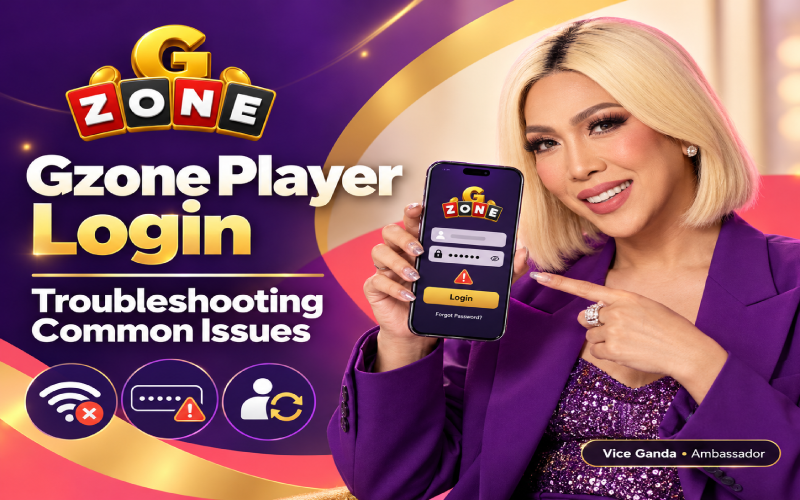
A smooth gzone player login experience helps you access your account without unnecessary delays or frustration. However, login problems can happen for several reasons, including incorrect credentials, an unstable internet connection, browser errors, or temporary service interruptions. If you are having trouble signing in, there is no need to panic. A few simple checks will help you identify the cause and find the right solution. This guide explains common Gzone login issues and practical troubleshooting steps for Filipino users accessing the service through mobile phones or desktop computers.
Common Gzone Player Login Problems
Understanding the possible cause of a login problem can make troubleshooting easier. Here are some common issues you will encounter:
- Incorrect username or password: A typing mistake, incorrect capitalization, or an extra space can prevent successful sign-in.
- Forgotten account credentials: You will be unable to access your account if you cannot remember your username or password.
- Slow or unresponsive pages: A weak internet connection, browser issue, or temporary service interruption will prevent the login page from loading properly.
- Verification errors or account restrictions: Security checks or temporary restrictions will stop you from signing in until the issue is addressed.
- Outdated browsers: An older browser or a conflicting extension will interfere with how the login page works.
Each problem has a different possible cause, so identifying what happens when you try to sign in is a useful first step.
How to Troubleshoot Gzone Player Login Issues
If your Gzone account is not accessible, try these steps in order.
1. Check Your Login Credentials
Carefully review your username and password before submitting this. Check for spelling mistakes, accidental spaces, and incorrect capitalization. If your device automatically fills in your credentials, make sure it has not inserted outdated information.
2. Recover Your Password if Necessary
If you have forgotten your password, use the official account recovery process, if available. Follow the instructions provided through verified channels. Avoid repeatedly guessing your password, as this will trigger additional security checks or temporary restrictions.
3. Check Your Internet Connection
A weak connection can interrupt the login process. If you are using mobile data in the Philippines, check your signal strength and connection status. You can also switch between Wi-Fi and mobile data to see whether the problem improves. If other websites are slow, your connection will be the underlying issue.
4. Refresh the Page and Check Your Browser
Refresh the login page or close and reopen your browser. If the problem continues, clear the browser cache and try again. Updating your browser will also resolve compatibility issues. If necessary, temporarily disable extensions that could interfere with the page, then test the login again.
5. Check for Service Interruptions
Sometimes, the issue is not on your device. Check official Gzone service announcements or verified support channels for information about maintenance or temporary outages. If a service interruption is reported, you will need to wait until access is restored.
6. Contact Official Customer Support
If none of these steps works, contact customer support through a verified official channel. Explain the error message, when the problem started, and which troubleshooting steps you have tried. Never send your password or verification code when requesting assistance.

Account Security and Login Best Practices
Keeping your account secure is just as important as resolving login problems. Choose a strong, unique password that you do not use for other accounts. Avoid signing in on public or shared devices whenever possible, and always log out if you use one.
Never share your password or verification codes with another person. Access Gzone through verified official channels rather than unfamiliar links sent through messages or social media. Be cautious of third-party pages promising guaranteed account access or requesting sensitive information. Do not attempt to bypass security checks or account restrictions; follow the appropriate official process instead.
Related Account and Promotion Information
If you are also researching a gamezone deposit bonus, check the relevant official promotional information before participating. Review the eligibility requirements, validity period, and any applicable deposit or withdrawal conditions. Promotions will have specific terms, so do not assume that an offer is available to every account or that participation guarantees a particular outcome. Keep login troubleshooting separate from promotional decisions, and verify any offer through a trusted official source.
Conclusion
Most Gzone login problems are worth investigating through a few basic checks: verify your credentials, test your internet connection, refresh or update your browser, and review official service announcements. If the issue persists, seek help through verified customer support and keep your account information private.
Frequently Asked Questions
You will have entered incorrect credentials, lost your internet connection, encountered a browser error, or experienced a temporary service interruption. Check your login details and connection first. If an error persists, consult official announcements or contact verified customer support.
Look for the official account recovery option, if available, and follow its instructions. Use only verified channels to recover access. If recovery is unsuccessful, contact official customer support for guidance. Never share your existing password or verification codes with anyone.
A page that keeps loading will indicate a slow connection, browser cache problem, outdated browser, or temporary service interruption. Try switching networks, refreshing the page, and reopening your browser. If the problem continues, check official service announcements before trying again.
Access will depend on the service’s current availability, supported devices, and browser requirements. If you are using a mobile phone, check your internet connection and browser version. Consult verified official information to confirm whether your device and location are supported.
Check verified official promotional channels for current information about a gamezone deposit bonus. Read the eligibility rules, validity period, and applicable deposit or withdrawal conditions carefully. Avoid relying on unverified third-party claims, and do not assume that a promotion is guaranteed or universally available.


